How to Add a Salesforce Data Source in Data Hub
This page is part of RevSure’s Comprehensive FAQs, your all-in-one hub for answers on capabilities, data, security, scalability, configurability, and more. Click here to return to the FAQ home.
This page is part of RevSure’s Comprehensive FAQs, your all-in-one hub for answers on capabilities, data, security, scalability, configurability, and more. Click here to return to the FAQ home.


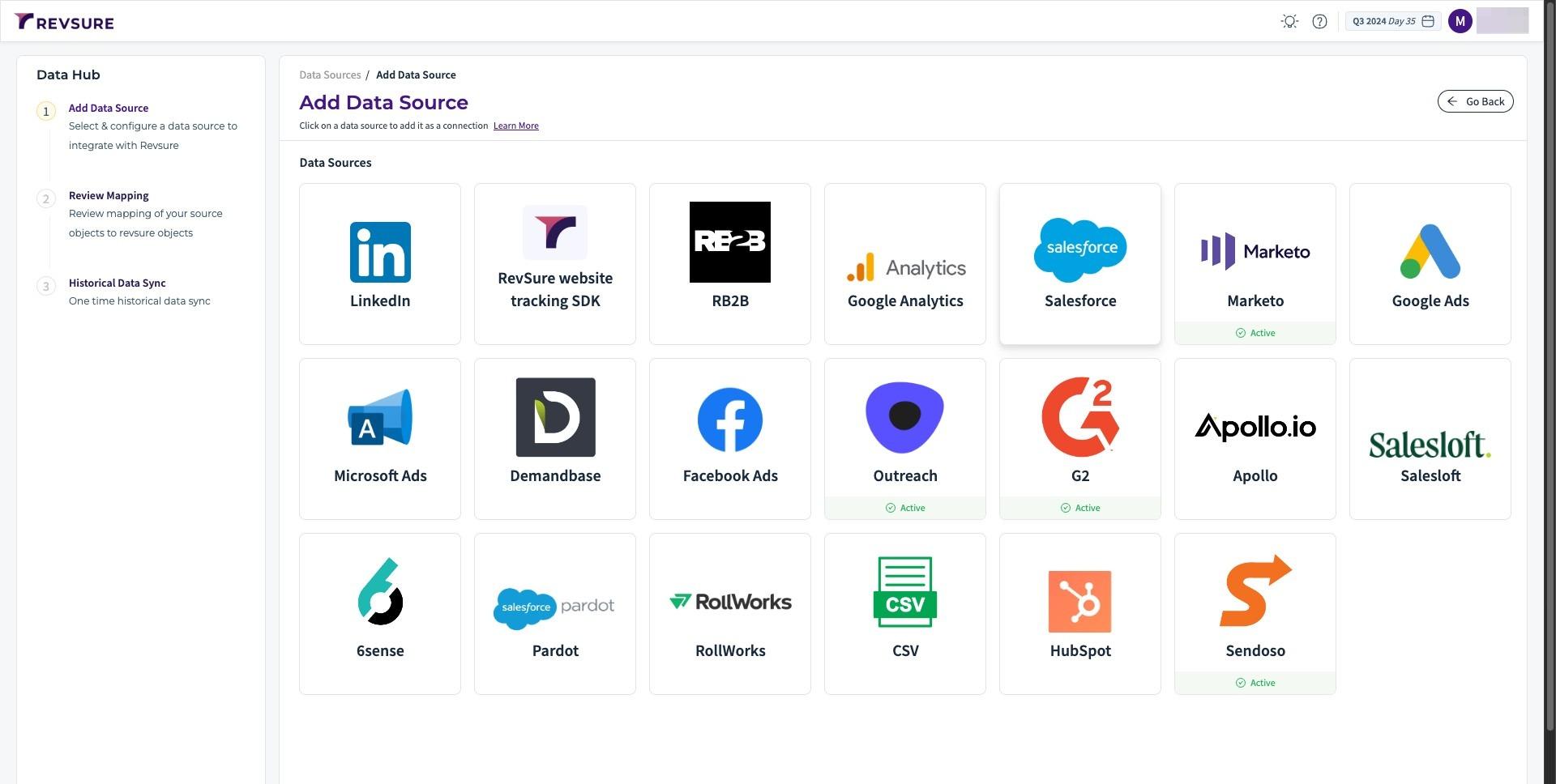
1. Navigate to your RevSure instance and go to Data Hub page
2. Click Salesforce connection and it will open a side panel.
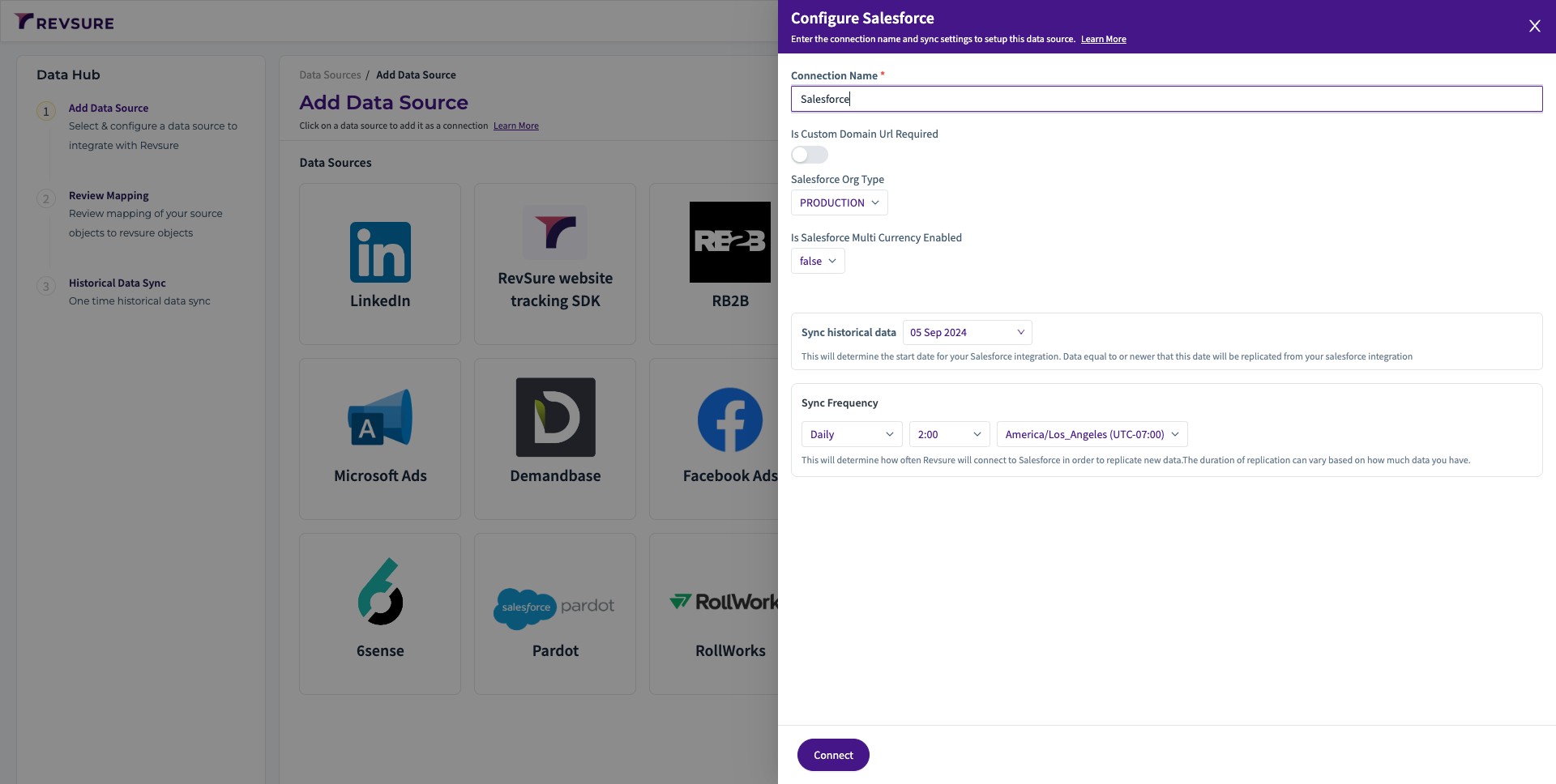
3. In the side panel, We will add connection name and enable custom domain url.
4. Enter the Salesforce instance URL. This will be "my" Salesforce URL.
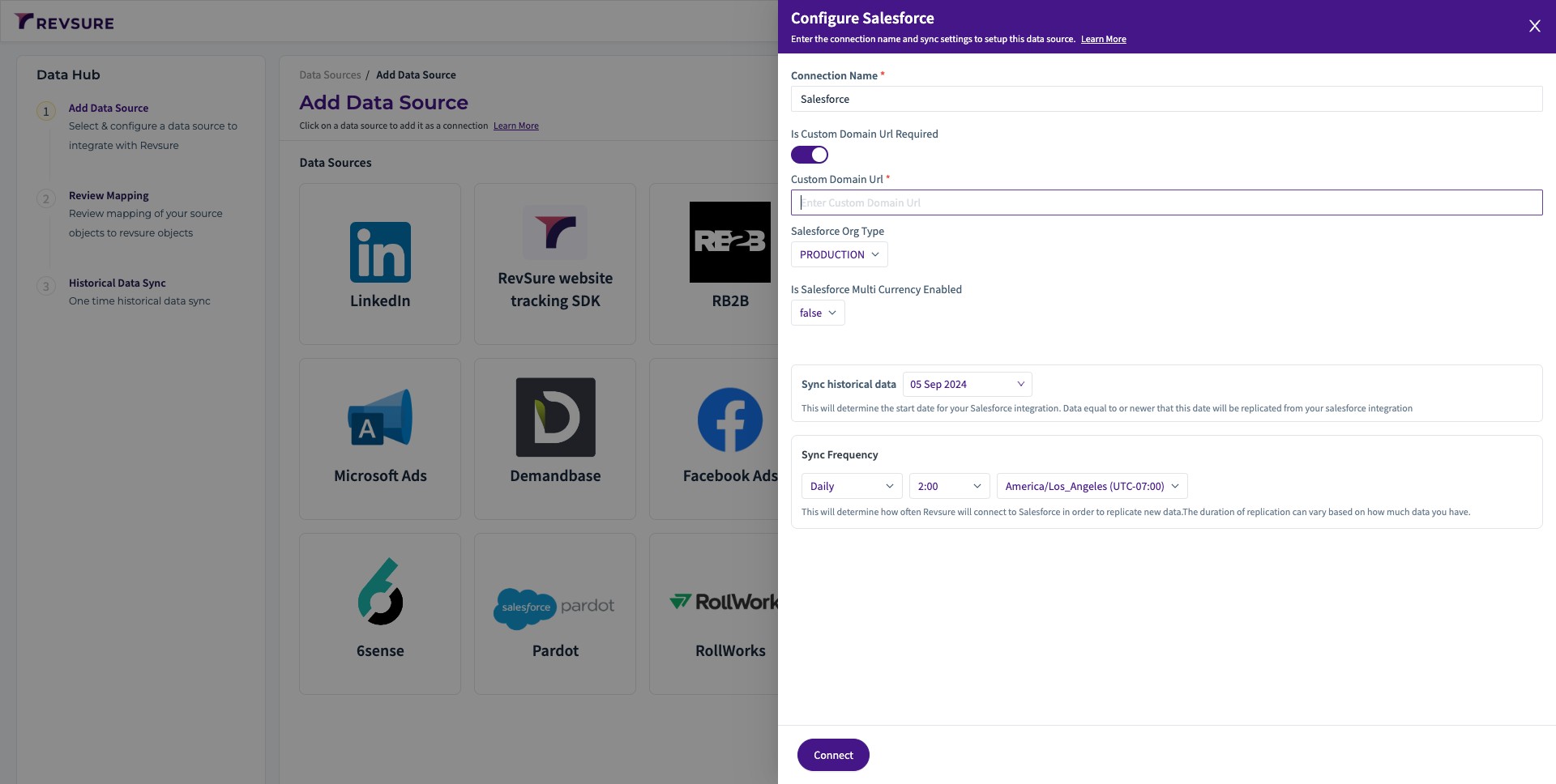
5. If multi currency is enabled on the Salesforce instance, then you will have to set Is Multi currency enabled to true.
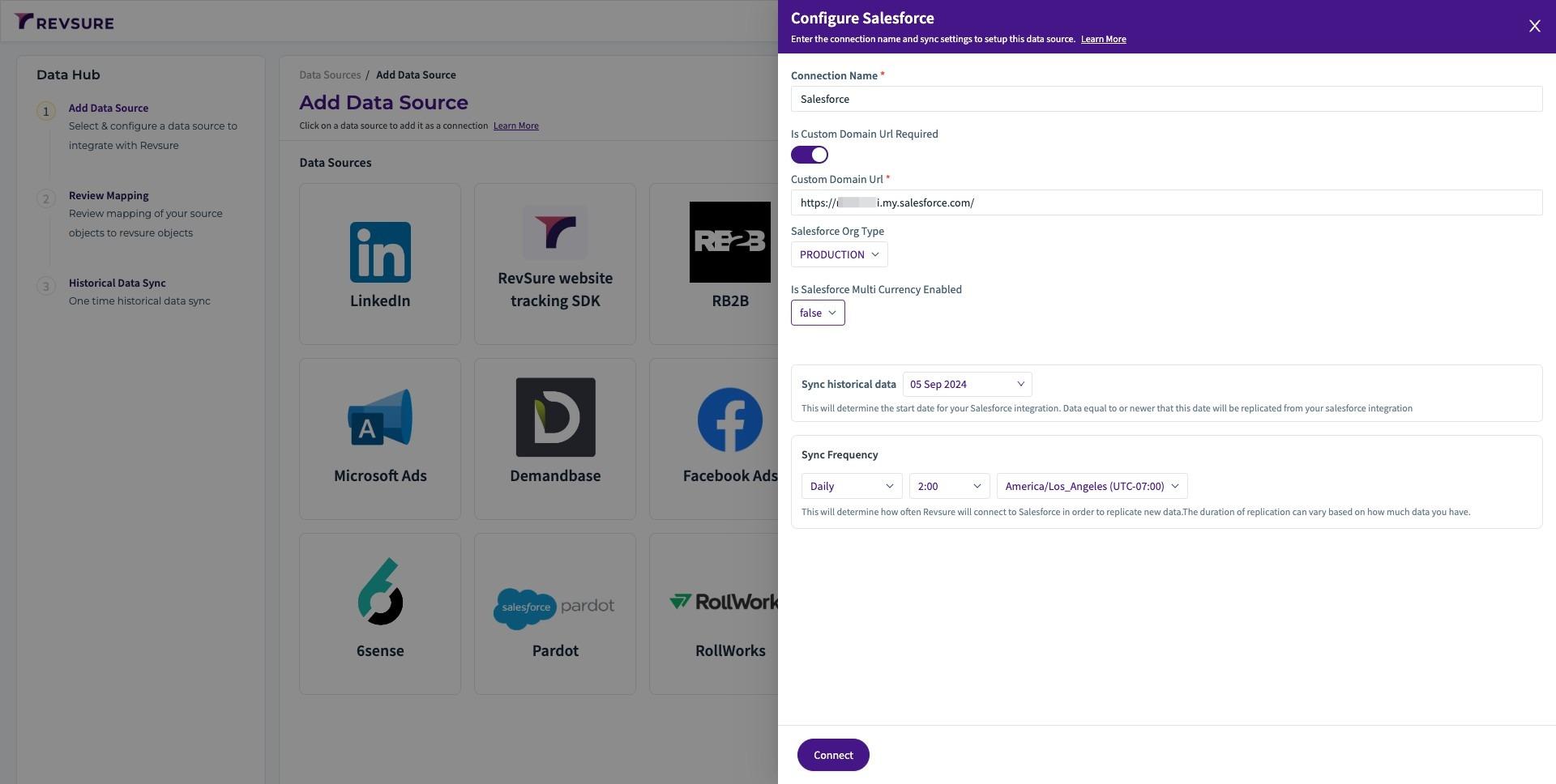
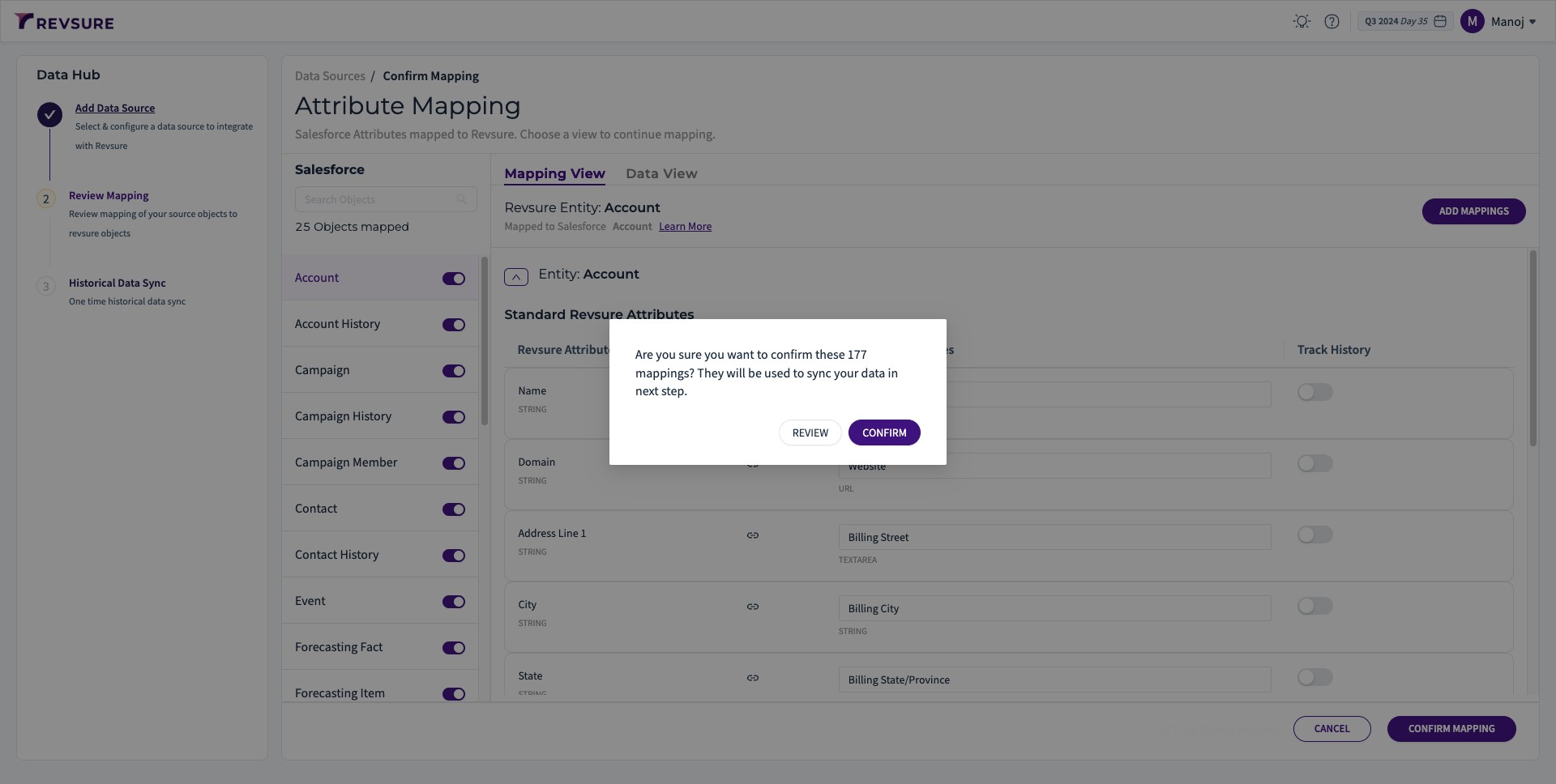
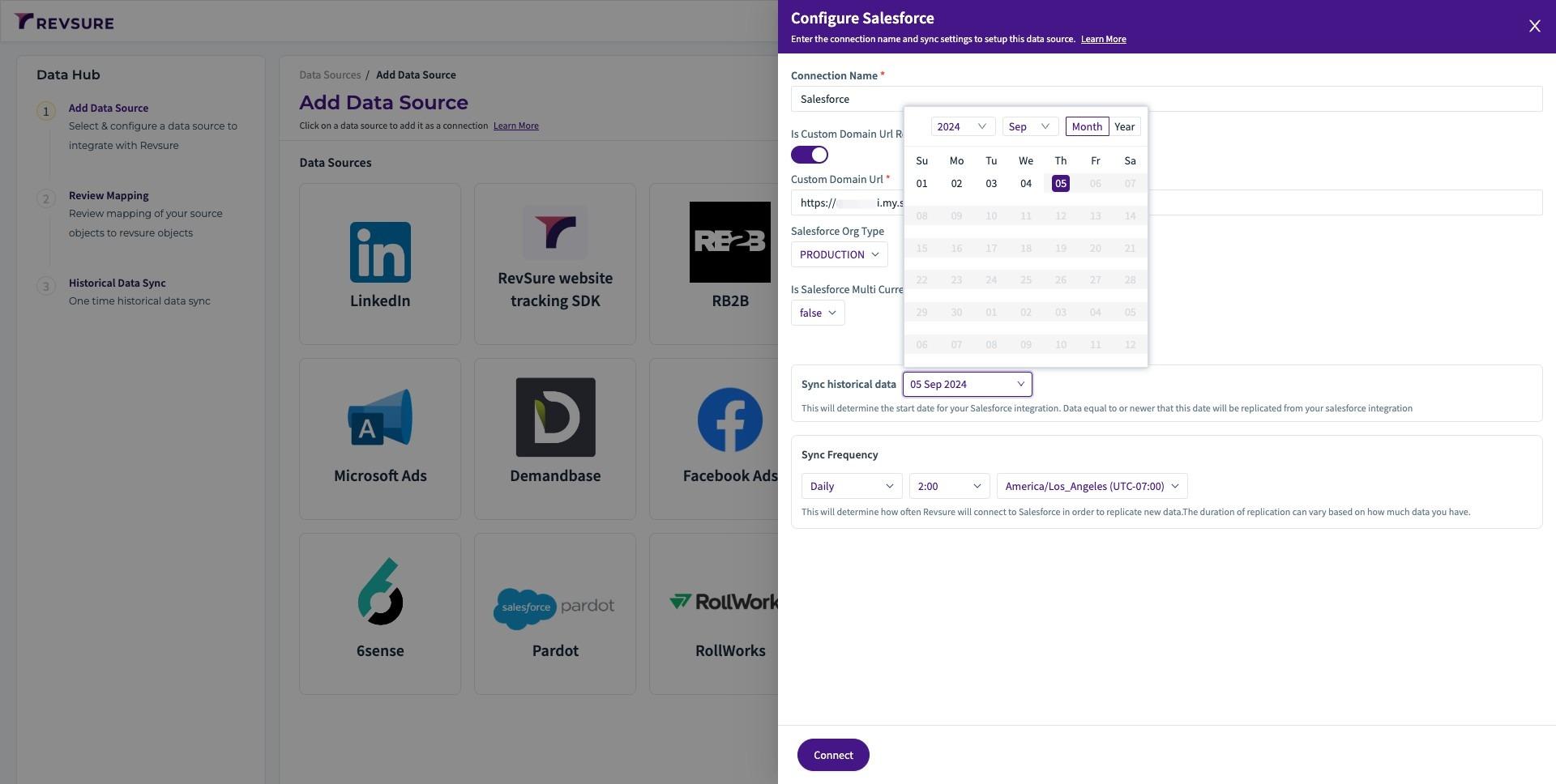
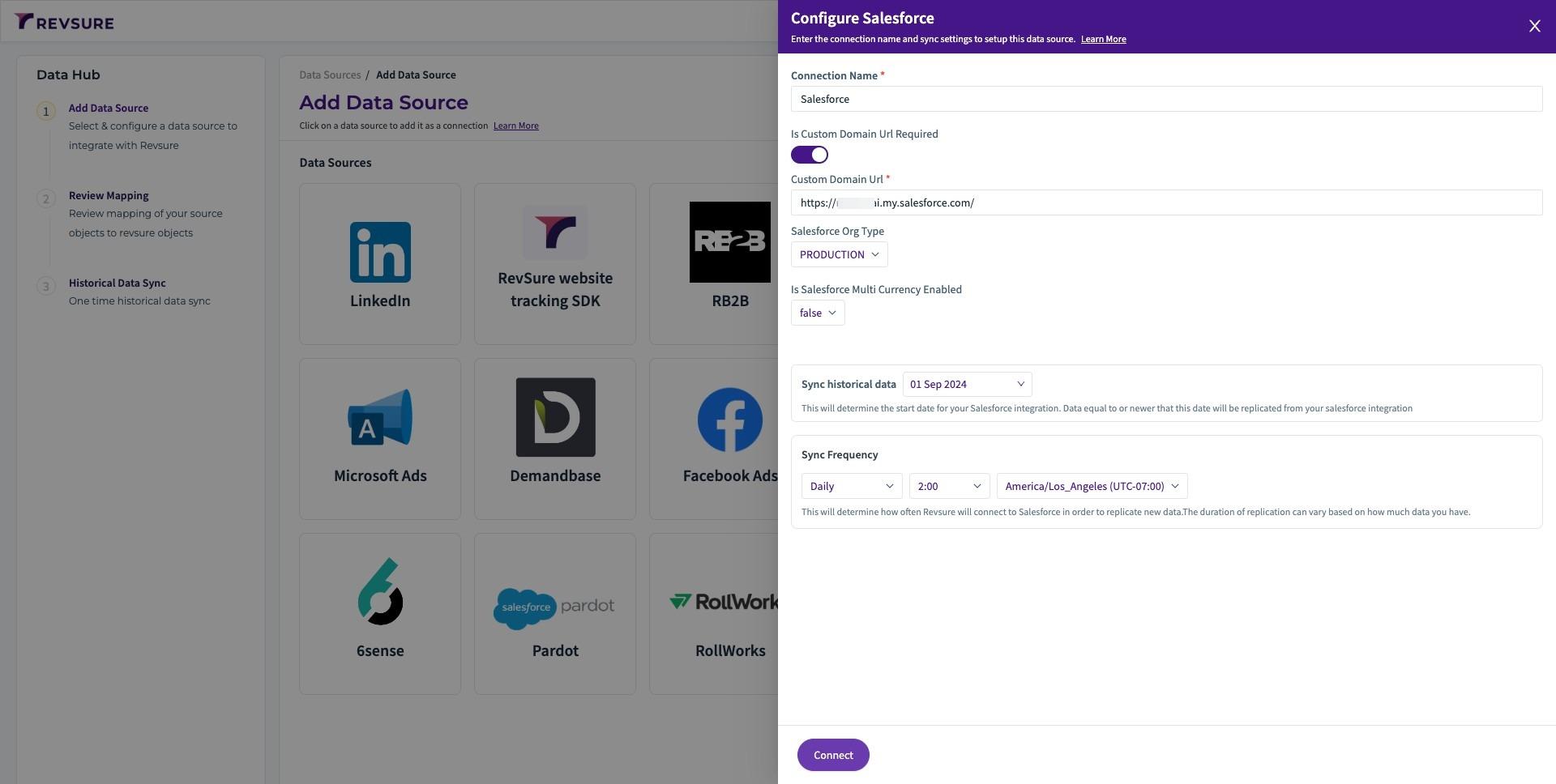
6. Select historical date to sync from.
7. Click "Connect" and Enter authentication details on the Salesforce SSO pop up.
8. Review and confirm the mapping.
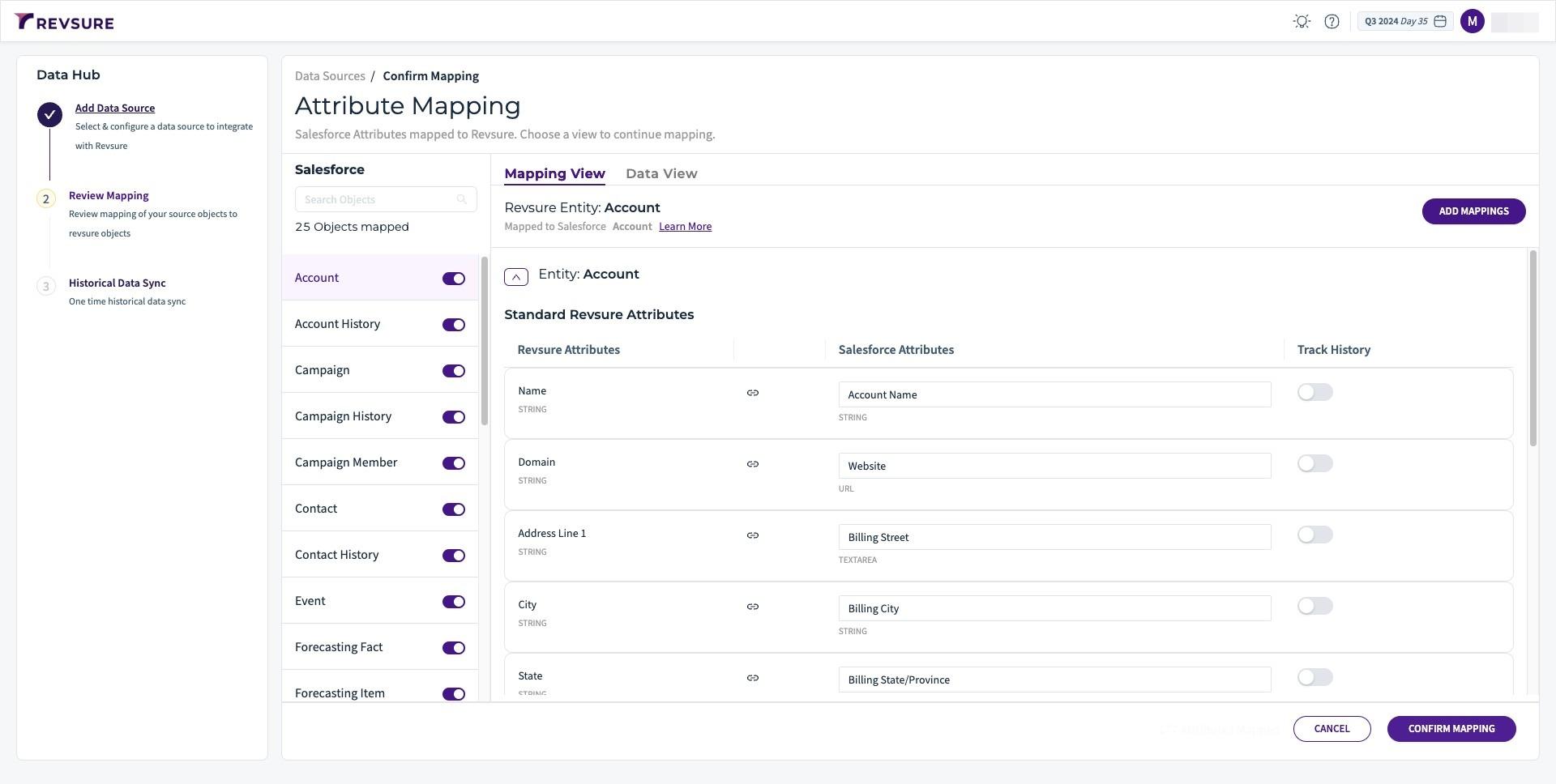
9. Click "CONFIRM"